> ## Documentation Index
> Fetch the complete documentation index at: https://docs-docflow.textin.com/llms.txt
> Use this file to discover all available pages before exploring further.

# 如何配置文件类别

## 类别配置页入口

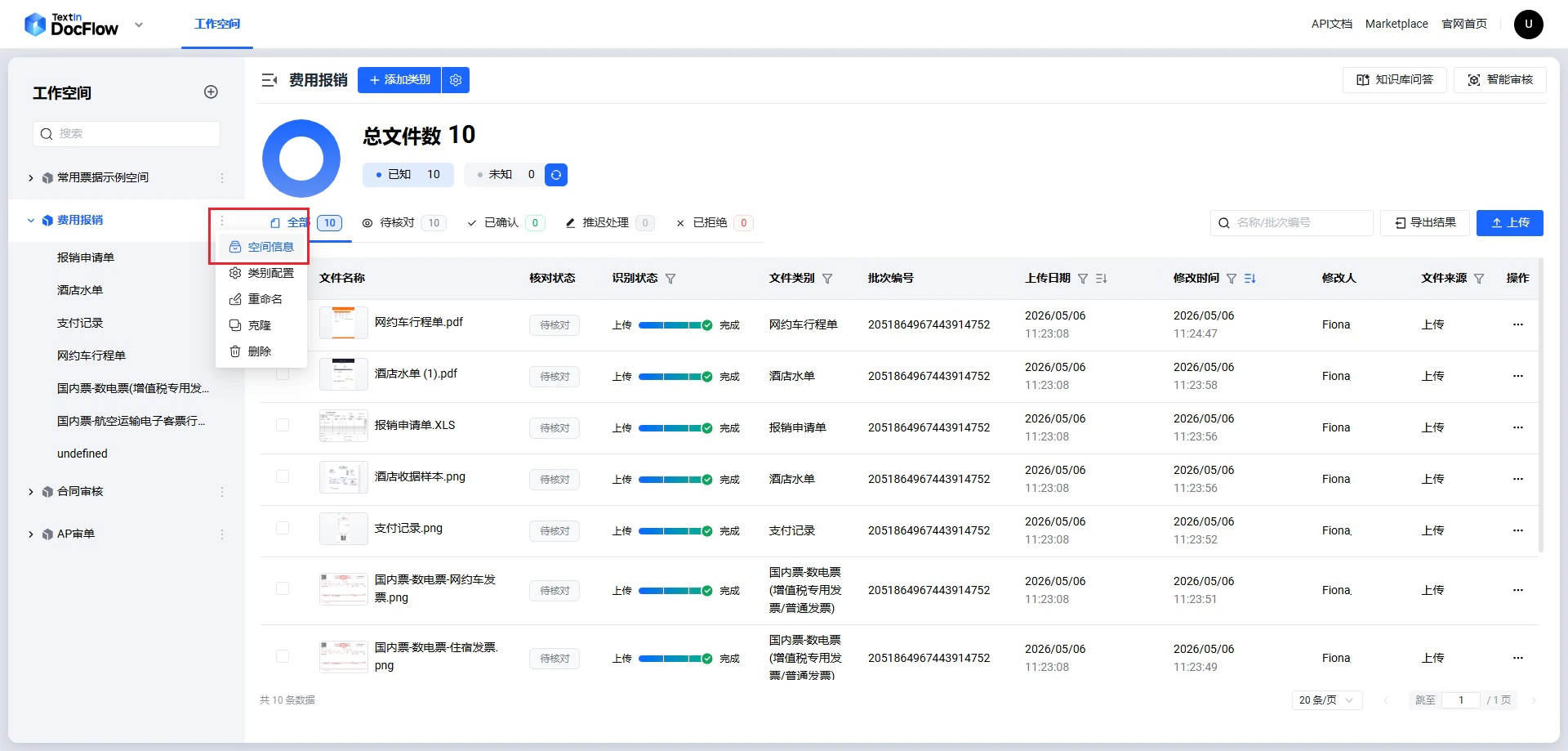
1. 在空间列表，选择工作空间-点击**更多操作-设置**

<img src="https://mintcdn.com/docflow/7wjf1BxTsqu1PHsN/docflow/cn/images/get_workspace_id_step_1.png?fit=max&auto=format&n=7wjf1BxTsqu1PHsN&q=85&s=c1ca5888e8795d9fc2b65872741874ee" alt="workspace setting" width="1920" height="919" data-path="docflow/cn/images/get_workspace_id_step_1.png" />

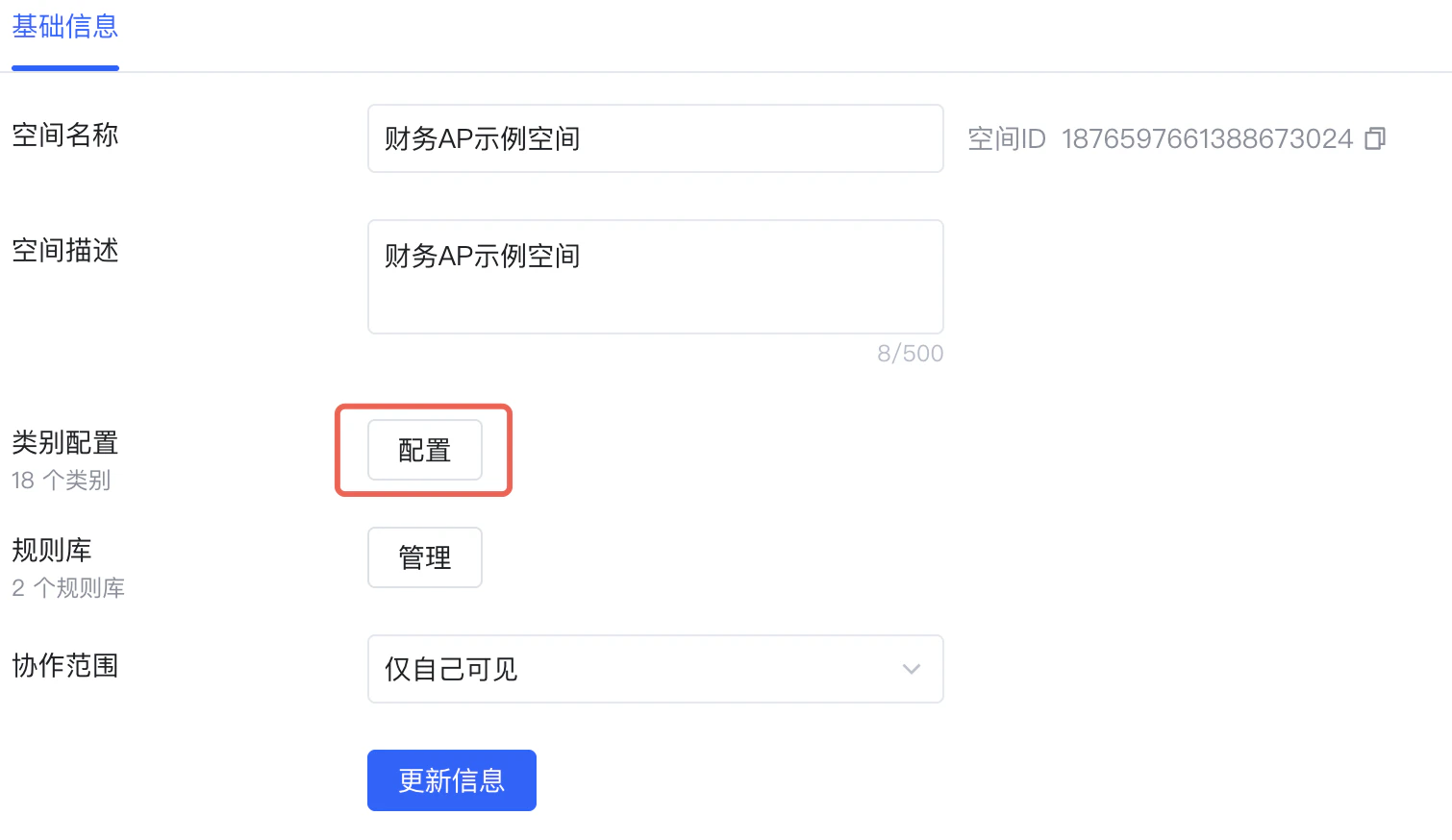
2. 在弹出的滑窗上，点击类别**配置**，进入文件类别配置页

<img src="https://mintcdn.com/docflow/S8h7LKqEIscSdr0d/docflow/cn/images/setup_category_step_2.png?fit=max&auto=format&n=S8h7LKqEIscSdr0d&q=85&s=70e9cb8a098ce198b8d01837ee82e4fc" alt="workspace setting" width="1510" height="874" data-path="docflow/cn/images/setup_category_step_2.png" />

## 添加类别示例样本

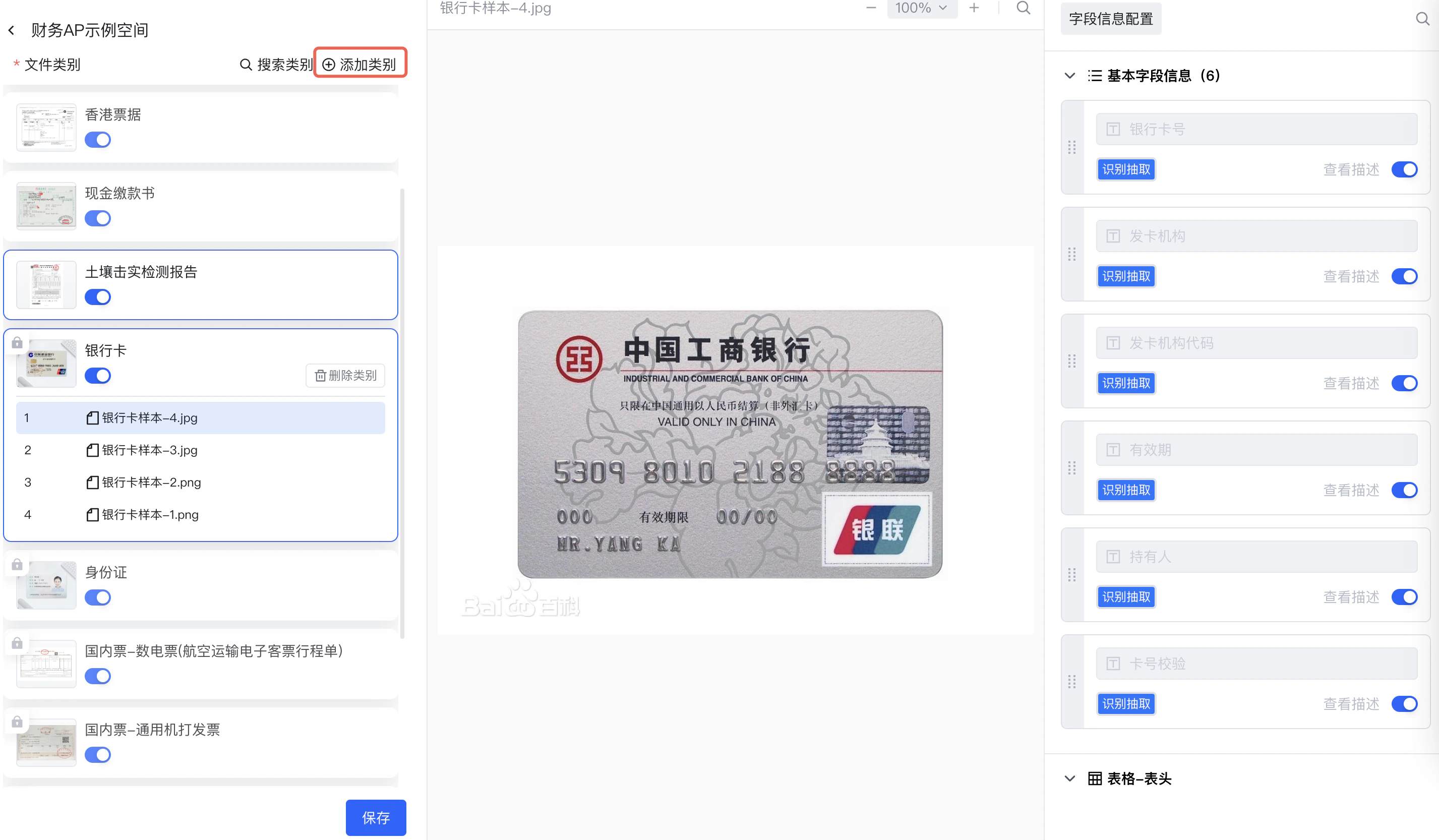
1. 点击**添加类别**

<img src="https://mintcdn.com/docflow/1hyPVtdjINkDBHse/docflow/cn/images/setup_category_step_3.png?fit=max&auto=format&n=1hyPVtdjINkDBHse&q=85&s=9558871d3bd5dfdb8db5f1ab0d5ad5de" alt="add category" width="2854" height="1666" data-path="docflow/cn/images/setup_category_step_3.png" />

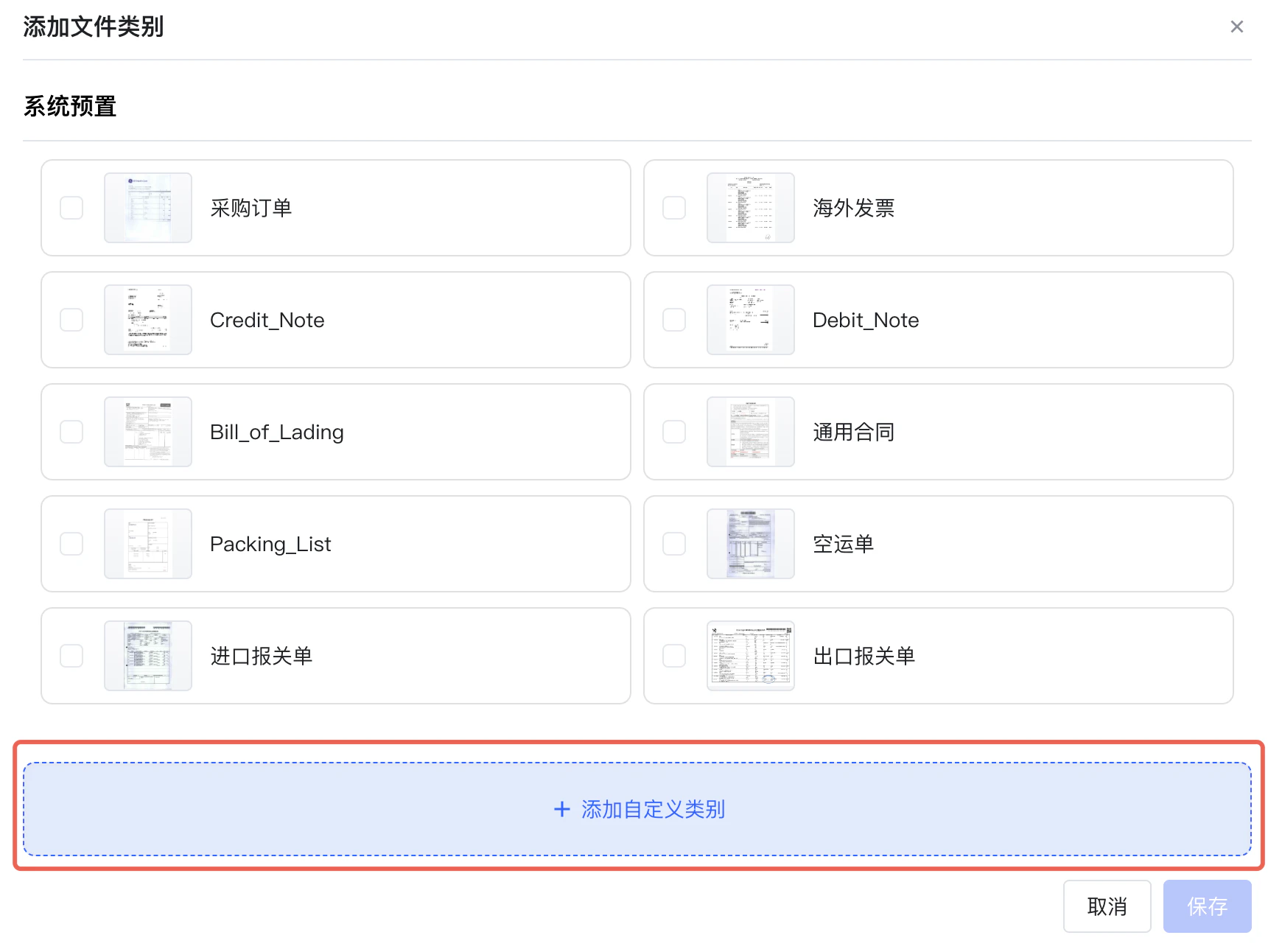
2. 点击**添加自定义类别**, 上传文件

<img src="https://mintcdn.com/docflow/1hyPVtdjINkDBHse/docflow/cn/images/setup_category_step_4.png?fit=max&auto=format&n=1hyPVtdjINkDBHse&q=85&s=b2e2a73442e223fdba7a5816a4e58cbf" alt="add custom file" width="1740" height="1292" data-path="docflow/cn/images/setup_category_step_4.png" />

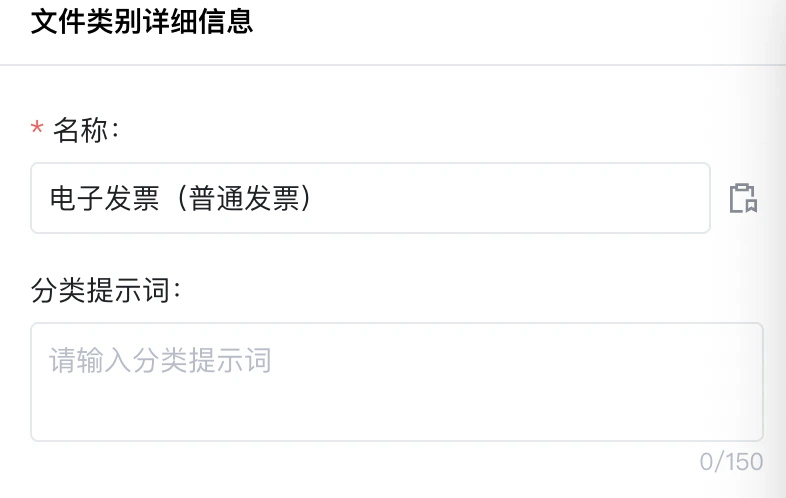
## 配置分类名称

设置分类名称

<img src="https://mintcdn.com/docflow/1hyPVtdjINkDBHse/docflow/cn/images/setup_category_step_2.1.png?fit=max&auto=format&n=1hyPVtdjINkDBHse&q=85&s=4a48ef60f14021f414b6d5001fba6ade" alt="set category name" width="786" height="498" data-path="docflow/cn/images/setup_category_step_2.1.png" />

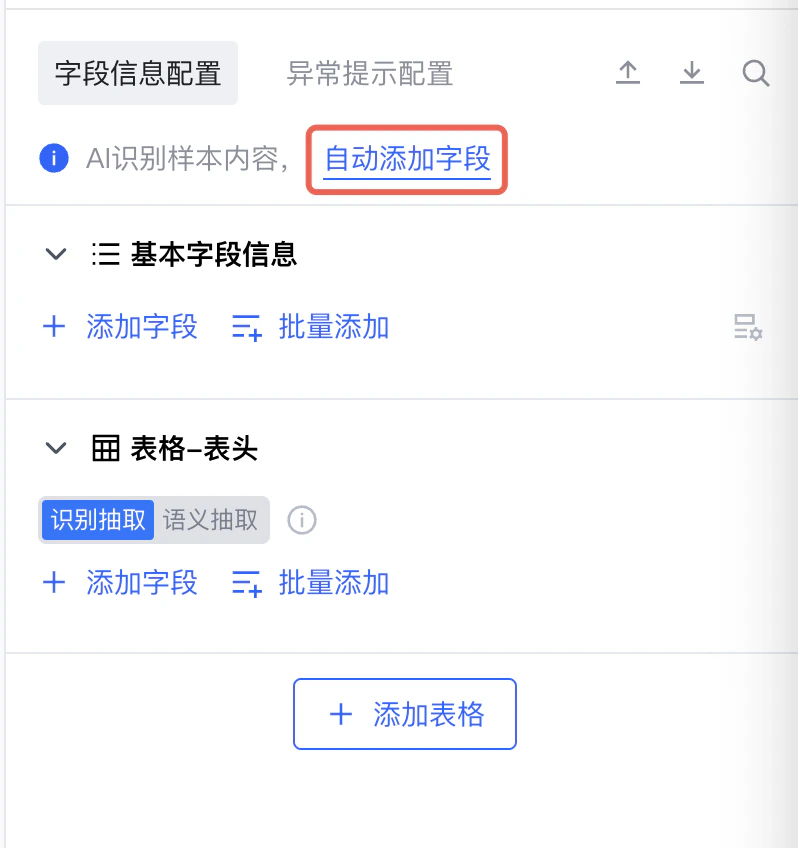
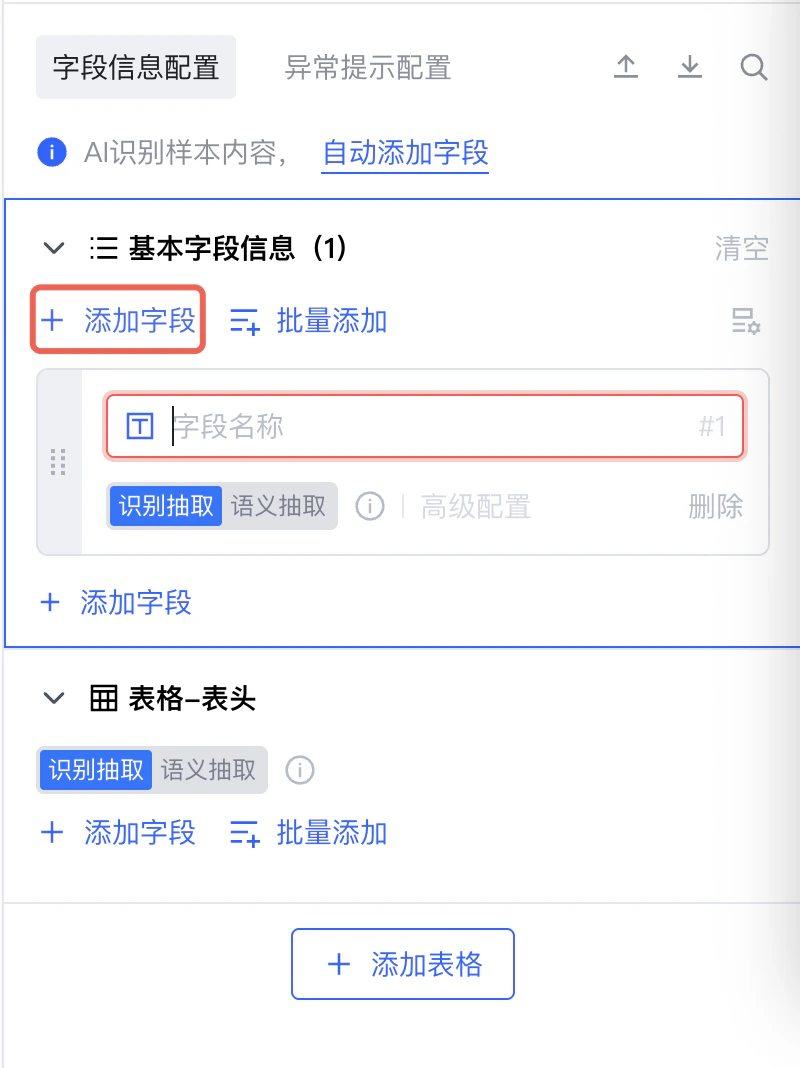
## 配置样本字段

点击**自动添加字段**，将由AI根据文档自动添加字段

<img src="https://mintcdn.com/docflow/1hyPVtdjINkDBHse/docflow/cn/images/setup_category_step_5.2.png?fit=max&auto=format&n=1hyPVtdjINkDBHse&q=85&s=60b79fd7fac1e50ceddbeec444e0002e" alt="add fields automatically" width="798" height="848" data-path="docflow/cn/images/setup_category_step_5.2.png" />

也可以手动添加、调整和删除字段

<img src="https://mintcdn.com/docflow/1hyPVtdjINkDBHse/docflow/cn/images/setup_category_step_5.1.png?fit=max&auto=format&n=1hyPVtdjINkDBHse&q=85&s=99ae53ccf029e36dd815e076bf432bbe" alt="add fields manually" width="800" height="1068" data-path="docflow/cn/images/setup_category_step_5.1.png" />

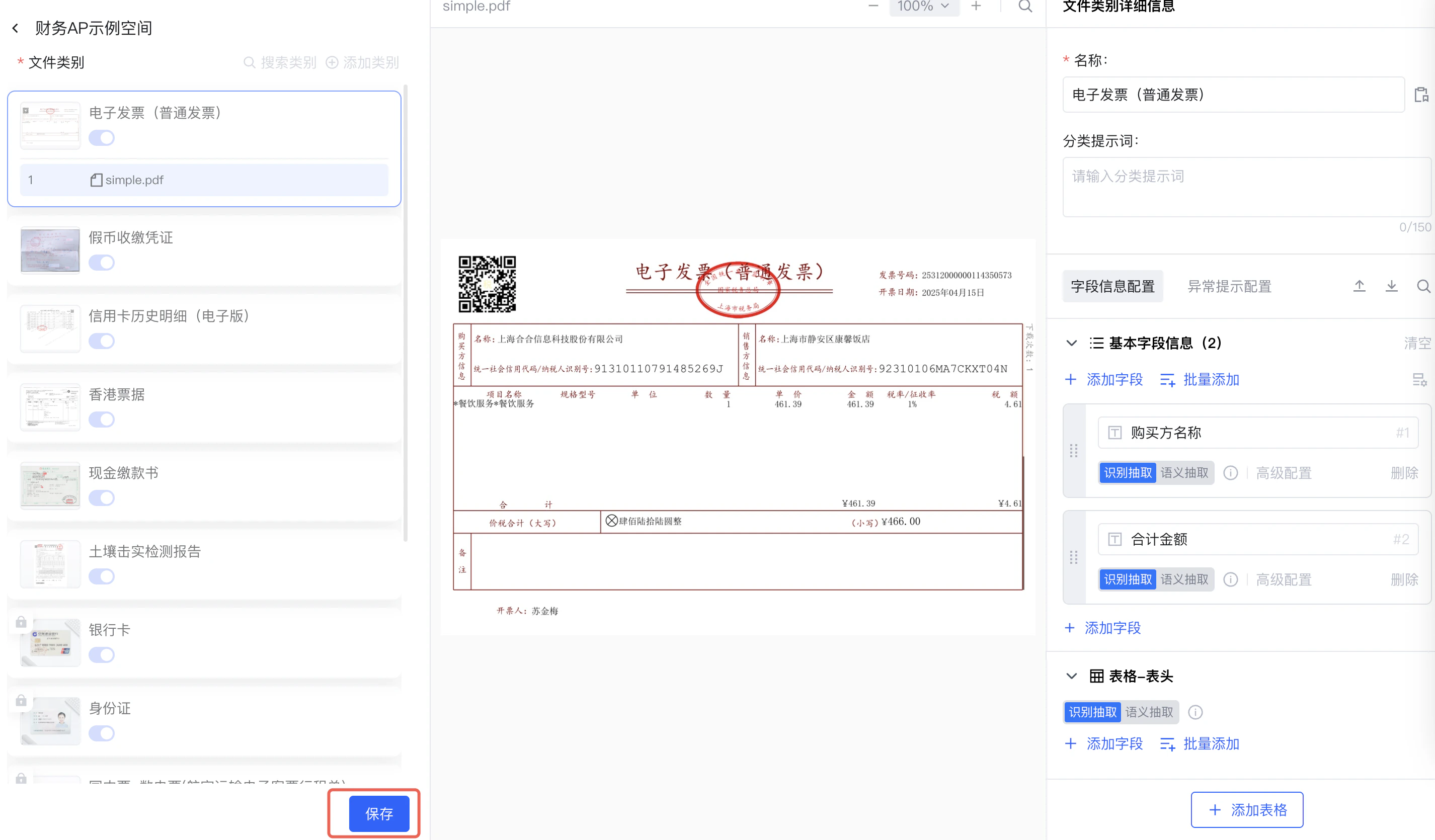
## 保存配置

点击**保存**

<img src="https://mintcdn.com/docflow/1hyPVtdjINkDBHse/docflow/cn/images/setup_category_step_6.png?fit=max&auto=format&n=1hyPVtdjINkDBHse&q=85&s=4c17016ea72e3ac272acfdc20acf3e9c" alt="save" width="2852" height="1670" data-path="docflow/cn/images/setup_category_step_6.png" />