> ## Documentation Index
> Fetch the complete documentation index at: https://docs-docflow.textin.com/llms.txt
> Use this file to discover all available pages before exploring further.
# 检索文档和内容
> 使用 Coding Agent 快速检索 TextIn Docflow 相关文档
## 01 场景说明
当你需要查找 Docflow 的 API 文档、参数说明或使用指引时,可以直接向 Agent 提问,它会通过 MCP 服务检索相关内容。
## 02 示例
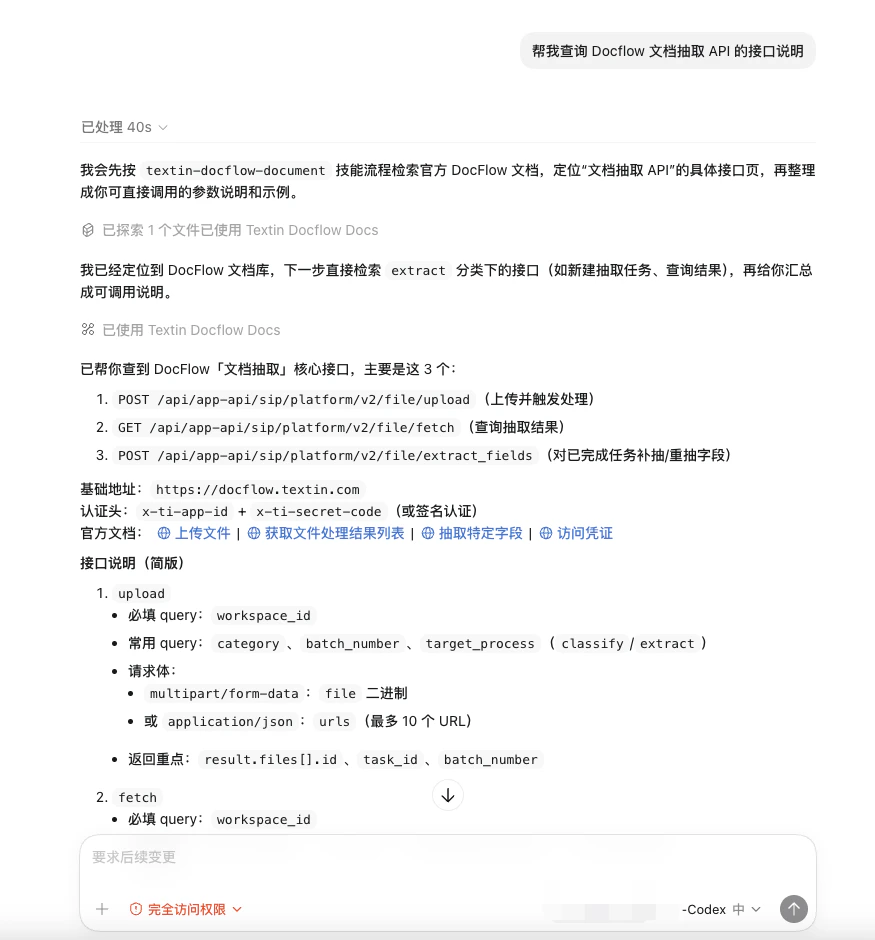
### 2.1 查询 API 接口
```text theme={null}
帮我查询 Docflow 文档抽取 API 的接口说明
```
 ### 2.2 查询参数说明
```text theme={null}
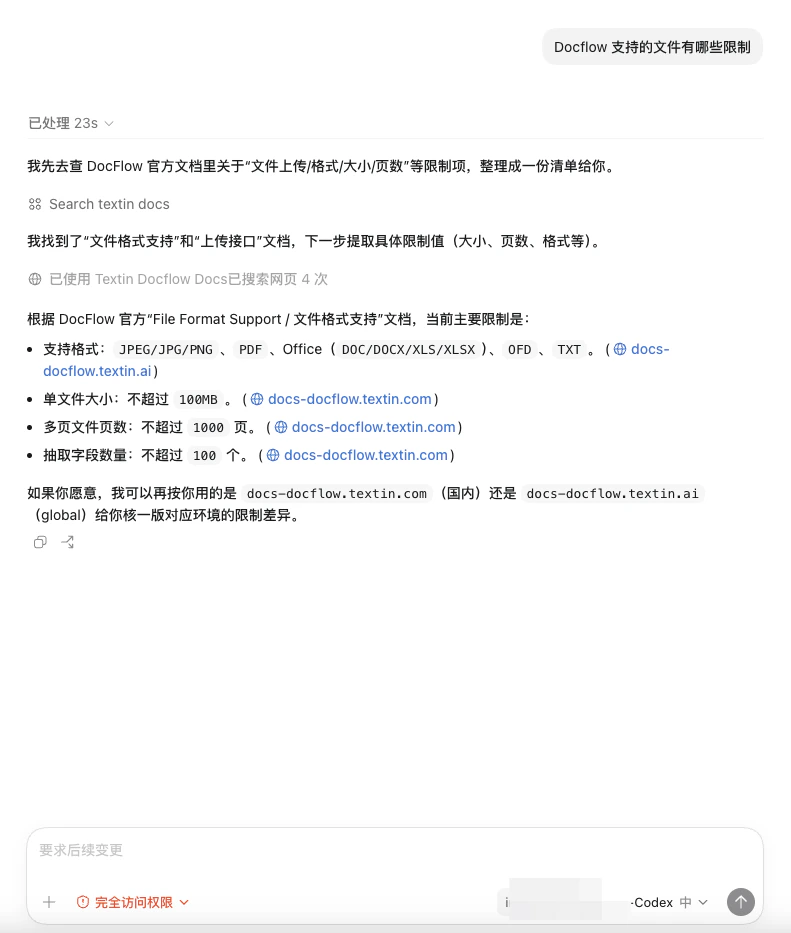
Docflow 支持的文件有哪些限制
```
### 2.2 查询参数说明
```text theme={null}
Docflow 支持的文件有哪些限制
```
 ### 2.3 查询最佳实践
```text theme={null}
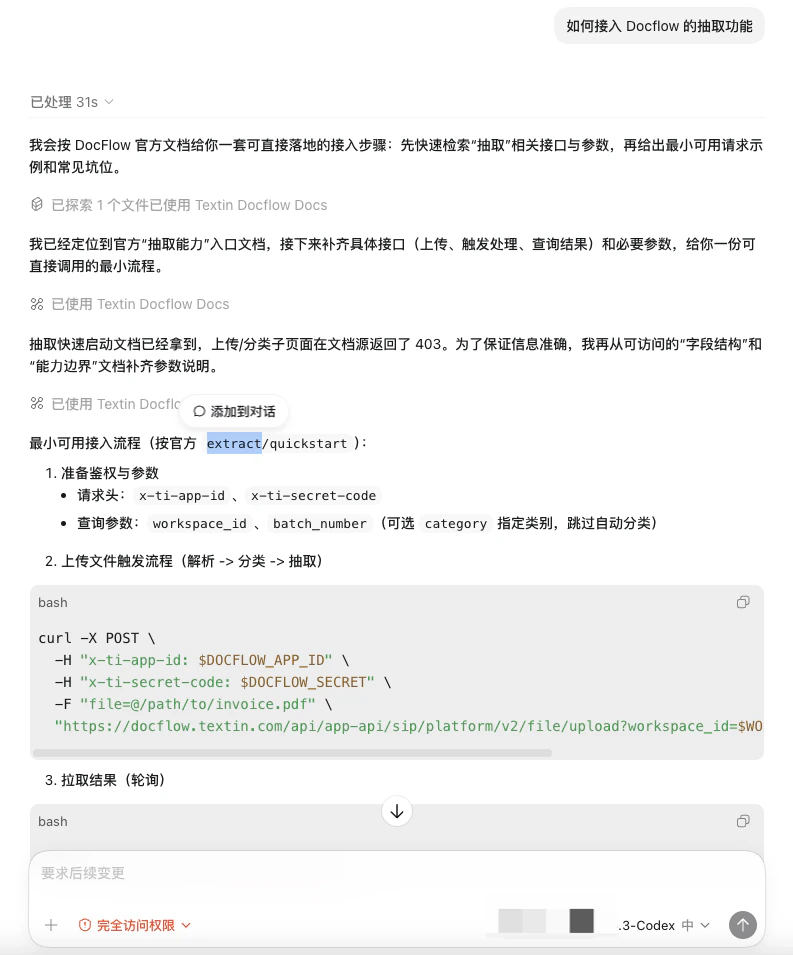
如何接入 Docflow 的抽取功能
```
### 2.3 查询最佳实践
```text theme={null}
如何接入 Docflow 的抽取功能
```
 你可以用自然语言提问,Agent 会自动判断需要检索哪些文档内容来回答你。